





Take a selfie with your HEADPHONES
13.02.2015 22:30


Apple headphones have historically had a reputation for leaking sound and sitting uncomfortably in the ear.
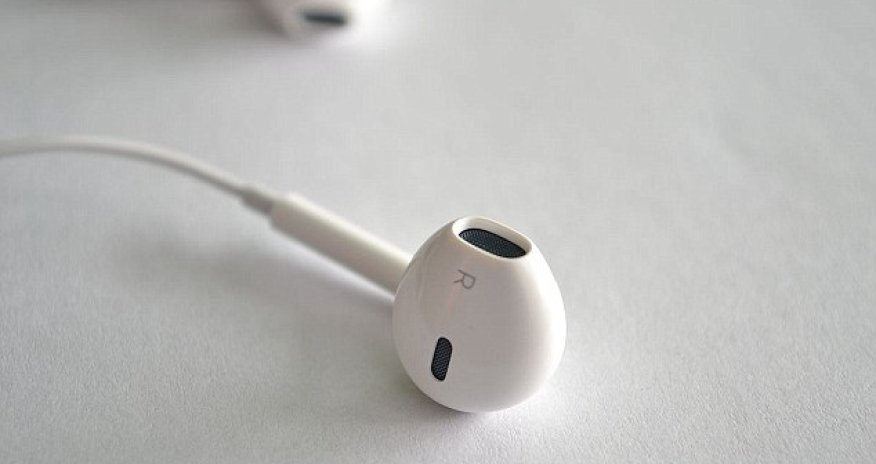
But its latest EarPods are hiding a host of tips and tricks that could finally change public opinion of the accessory.
A video has revealed 14 ways in which the Remote and Mic button found on the current headphones can control music, calls and even the camera.
Plus, the tricks are built predominantly into the latest Apple iOS 8 software meaning they also work with other ranges that are fitted with similar button controls and mics.
The video was created for Business Insider by New York-based senior producer Will Wei and the tips are taken from Apple’s EarPods user manual.
Some of the tricks are relatively well-known, such as using the microphone during hands-free calls and pressing the centre button to stop and start music.
But many in the list are more obscure.
For example, when the camera app is opened - either by unlocking the device and opening the app, or swiping up from the lock screen - the volume buttons act as a remote.
Selfies can be taken from a distance, for example, or phones can be positioned closer to objects than the zoom allows.
In addition to the play and pause feature, the centre button will skip forward a song when clicked twice.
Clicking the button three times in quick succession skips back a track, while pressing the button twice and holding it down fast forwards through the song or chapter.
To rewind, click the button three times quickly and hold it down.
To answer or end a call, press the centre button when the phone is ringing, and at the end of the conversation.
And if a call comes through while on the line with someone else, users can switch to the new call and put the current one on hold by pressing the central button.
To return to the first call, press the central button again.
To end the first call and answer the second, hold the central button down for two seconds.
When the button is released two beeps will be heard in the headphones to signal that the first call has been ended.
Elsewhere, pressing and holding the central button when connected to the internet will activate Siri.
The EarPods can also be used on a Mac to control iTunes and QuickTime player.
(dailymail.co.uk)
ANN.Az














 Photo
Photo 



 Video
Video